How Digital Tenant File Management Works for Landlords

TL;DR:
- Digital tenant file management digitizes, organizes, and secures tenant records, improving access and legal defensibility. Proper structure, automation, and permissions enhance operational efficiency, compliance, and dispute resolution. Landlordforms offers tools for landlords managing up to 150 units to streamline document workflows and reduce errors.
Digital tenant file management is the process of systematically digitizing, organizing, securing, and automating tenant-related documents to improve accessibility, compliance, and operational efficiency. Property managers who understand how digital tenant file management works gain a measurable edge: faster document retrieval, stronger legal defensibility, and far fewer administrative errors. The industry term for this practice is electronic document management (EDM), and it applies to everything from lease agreements and inspection reports to payment histories and security deposit letters. Landlordforms is built around this exact principle, giving landlords managing 1 to 150 units the tools to replace paper chaos with structured, audit-ready digital archives.
How digital tenant file management works: core components
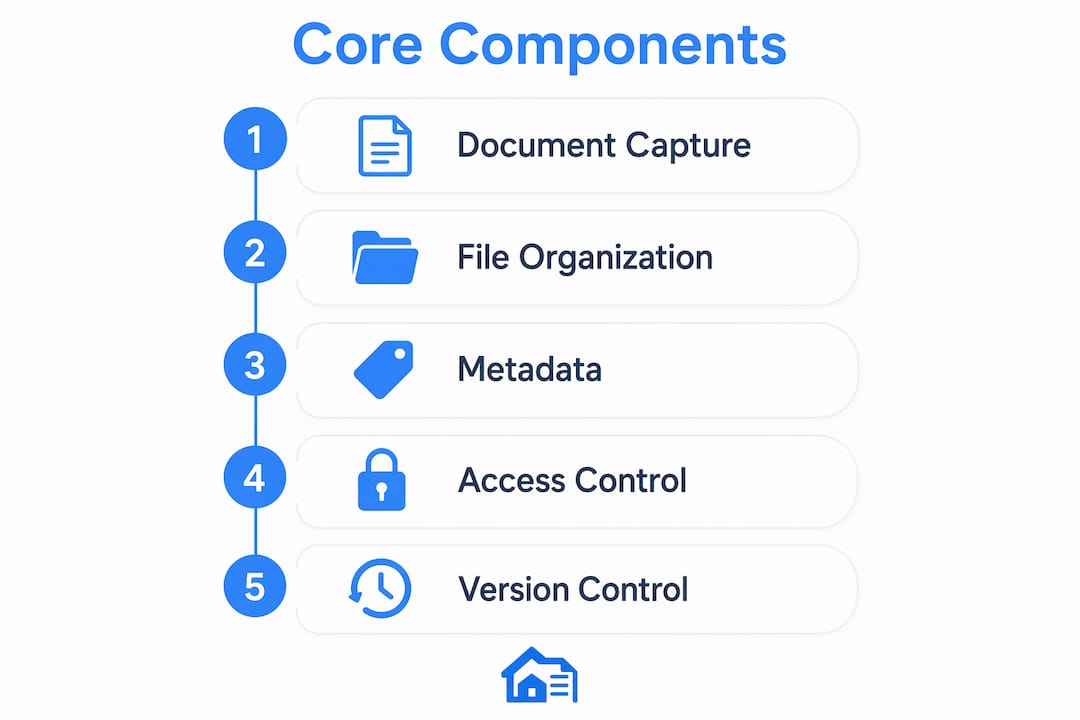
Digital tenant file management operates through five interconnected components. Each one builds on the last, and skipping any of them creates gaps that show up during disputes or audits.
Document capture is the starting point. Every tenant-related record gets digitized at the source: lease agreements, renewals, inspection reports, 30-day notices, rent receipts, and photo documentation. Paper documents get scanned using optical character recognition (OCR), which converts image-based text into searchable data. OCR is the technology that turns a scanned lease into a document you can search by tenant name, date, or clause.
File organization follows a consistent folder hierarchy. The standard structure runs Property > Unit > Tenant > Document Type. A disciplined file naming taxonomy using this hierarchy maintains retrievability and audit readiness even when staff or platforms change. That means a file named “123MainSt_Unit4_JaneDoe_Lease_2025-03-01.pdf” is findable by anyone on your team without a phone call to the person who created it.

Metadata and searchability extend what OCR starts. Metadata tags, such as lease start date, unit number, and document type, let you filter across hundreds of files instantly. This is the difference between a storage system and a working archive.
Access control and audit trails protect sensitive records. Role-based permissions determine who can view, edit, or download each document. Establishing role-based permissions early prevents accidental exposure of sensitive tenant or financial data and ensures audit trails capture every user action. An audit trail is a timestamped log showing who touched a file and when.
Version control handles amendments and renewals. When a lease gets modified, the system retains the original alongside the updated version. This prevents disputes over which terms were in effect at any given time.
Pro Tip: Set up your folder hierarchy before you upload a single file. Retrofitting structure onto an unorganized archive takes three times longer than building it right from the start.
How do digital workflows improve landlord operations?
The operational gains from structured digital file management show up in four specific areas.
-
Tenant self-service portals give tenants 24/7 access to their lease, payment history, and maintenance request status. Migrating to a centralized digital tenant portal reduces inbound administrative calls by 60%–80%. That is hours returned to your week without hiring additional staff.
-
Automated alerts turn passive documents into active management tools. Treating the lease as a structured data object with indexed dates triggers automatic reminders for renewal windows, rent escalations, and break clauses. A lease stored as a static PDF does none of this.
-
Maintenance workflow integration attaches relevant documents, such as inspection photos and repair invoices, directly to the tenant file. This creates a complete property history without manual cross-referencing.
-
Retention policies and scheduled reviews keep archives compliant. Most states require landlords to retain tenant records for a defined period after tenancy ends. Automated retention schedules flag files for review or deletion at the right time, reducing legal exposure.
“The lasting value of digital tenant file archives is in their defensibility during disputes, not just in storage convenience. Timestamped, indexed records give landlords a clear factual record that paper files simply cannot match.”
Scan Rentals expert insights
Audit trails support this defensibility directly. Every file view, edit, and download gets logged with a timestamp and user ID. When a tenant disputes a notice or a deposit deduction, that log is evidence.
What are the best practices for organizing tenant files at scale?
Portfolios beyond 20 units need a formal system. Using basic cloud storage without granular permissions and audit logs becomes a liability during deposit disputes or legal matters. The following practices prevent that outcome.
- Standardize your folder structure across every property. One universal hierarchy means any team member can find any file without asking for directions.
- Enforce consistent file naming conventions. Include the property address, unit number, tenant name, document type, and date in every filename. Abbreviate consistently so names stay readable.
- Assign role-based permissions by function. A maintenance coordinator needs inspection photos but not lease financial terms. A bookkeeper needs payment records but not screening documents. Granular permissions protect sensitive tenant screening documents from unnecessary exposure.
- Run quarterly audits for completeness and duplicates. Check that every active tenancy has a signed lease, a move-in checklist, and current payment records on file.
- Digitize paper archives with quality OCR. Low-resolution scans produce unsearchable files. Scan at 300 DPI minimum and verify that OCR has correctly indexed key fields before filing.
Pro Tip: Create a “missing documents” report as part of your quarterly audit. List every unit with an incomplete file and assign a deadline for resolution. Incomplete files are the most common source of lost disputes.
The table below shows the difference between an unstructured approach and a structured one at the file organization level.
| Criteria | Unstructured storage | Structured digital archive |
|---|---|---|
| File retrieval time | Minutes to hours | Seconds |
| Audit readiness | Low | High |
| Dispute defensibility | Weak | Strong |
| Staff dependency | High | Low |
| Compliance tracking | Manual | Automated |
Document accuracy directly affects tenant relations. Landlords who can produce a signed, timestamped document in seconds during a dispute project professionalism and reduce escalation risk.
What are the key benefits of digital tenant file management?
The benefits of digital tenant files fall into four categories: efficiency, compliance, defensibility, and tenant satisfaction.
Efficiency is the most immediate gain. A searchable lease archive combining scans, file naming conventions, metadata, OCR, and retention policies elevates tenant files from storage problems to operational assets. Staff spend minutes, not hours, locating documents.
Compliance improves because automated retention schedules and audit logs replace manual tracking. Dedicated document management systems provide tamper-proof, compliance-ready archives that persist independently of operational software. This matters when a regulatory body requests records or a court subpoenas documentation.
Defensibility is where digital archives earn their keep. Digital archives with timestamped, indexed evidence significantly improve a landlord’s ability to respond to tenant disputes compared to unindexed paper records. A move-out inspection report with GPS-tagged photos and a timestamp is far more persuasive than a handwritten note.
“Many growing property management firms use both property management software for daily operations and dedicated document systems for long-term compliance and audit readiness. The two serve different purposes and work best together.”
Property Management Documentation System Guide
Tenant satisfaction rises when tenants can access their own documents without calling the office. Self-service access to lease terms, payment receipts, and maintenance updates reduces friction and builds trust. Landlords who offer this report fewer disputes and faster lease renewals.
Avoiding missed deadlines is a separate but significant benefit. Automated alerts for rent escalations and lease renewals prevent the kind of costly errors that arise from manual calendar tracking. A missed rent increase on a multi-year lease can cost thousands of dollars in foregone revenue.
Key Takeaways
Digital tenant file management works best when structure, permissions, and automation are built in from the start, not added after the fact.
| Point | Details |
|---|---|
| Build structure first | Set up your Property > Unit > Tenant > Document Type hierarchy before uploading any files. |
| Use OCR and metadata | Searchable files cut retrieval time from hours to seconds and support legal defensibility. |
| Assign role-based permissions | Granular access controls protect sensitive data and create audit trails for every user action. |
| Automate lease triggers | Indexing lease dates enables automatic alerts for renewals, escalations, and break clauses. |
| Audit quarterly | Regular completeness checks prevent incomplete files from becoming lost disputes. |
What I’ve learned after years of watching landlords manage files the hard way
Most landlords who struggle with tenant documentation have the same problem: they chose a tool before they chose a process. They signed up for a cloud storage service, created a few folders, and started uploading. Six months later, they have 400 files with names like “scan001.pdf” and no idea which lease is current.
The software matters far less than the taxonomy. A consistent naming convention and a clear folder hierarchy will outperform an expensive platform used inconsistently. I’ve seen landlords with 80 units run tight, audit-ready archives using nothing more than a well-organized shared drive. I’ve also seen landlords with 10 units lose deposit disputes because they couldn’t produce a signed move-in checklist on demand.
Role-based permissions are the most underused feature in digital file management. Landlords tend to give everyone full access because it’s easier to set up. That creates exposure. A maintenance vendor who can see financial records, or a part-time assistant who can delete lease files, is a liability waiting to happen.
Automation is where the real operational shift occurs. Once you treat a lease as a data object rather than a PDF, the system starts working for you. Renewal reminders, rent escalation alerts, and retention flags run without manual input. That is not a convenience. It is a risk management tool. The landlords who miss renewal windows or forget to send required notices are almost always the ones still managing leases as static documents.
The future of tenant file management is not about storing more documents. It is about making every document work harder through structure, automation, and access control.
— Igor
Landlordforms makes tenant document management practical
Getting your tenant files organized does not require an enterprise platform or a dedicated IT team. Landlordforms is built for landlords managing 1 to 150 units, and it handles the document workflows that consume the most time.
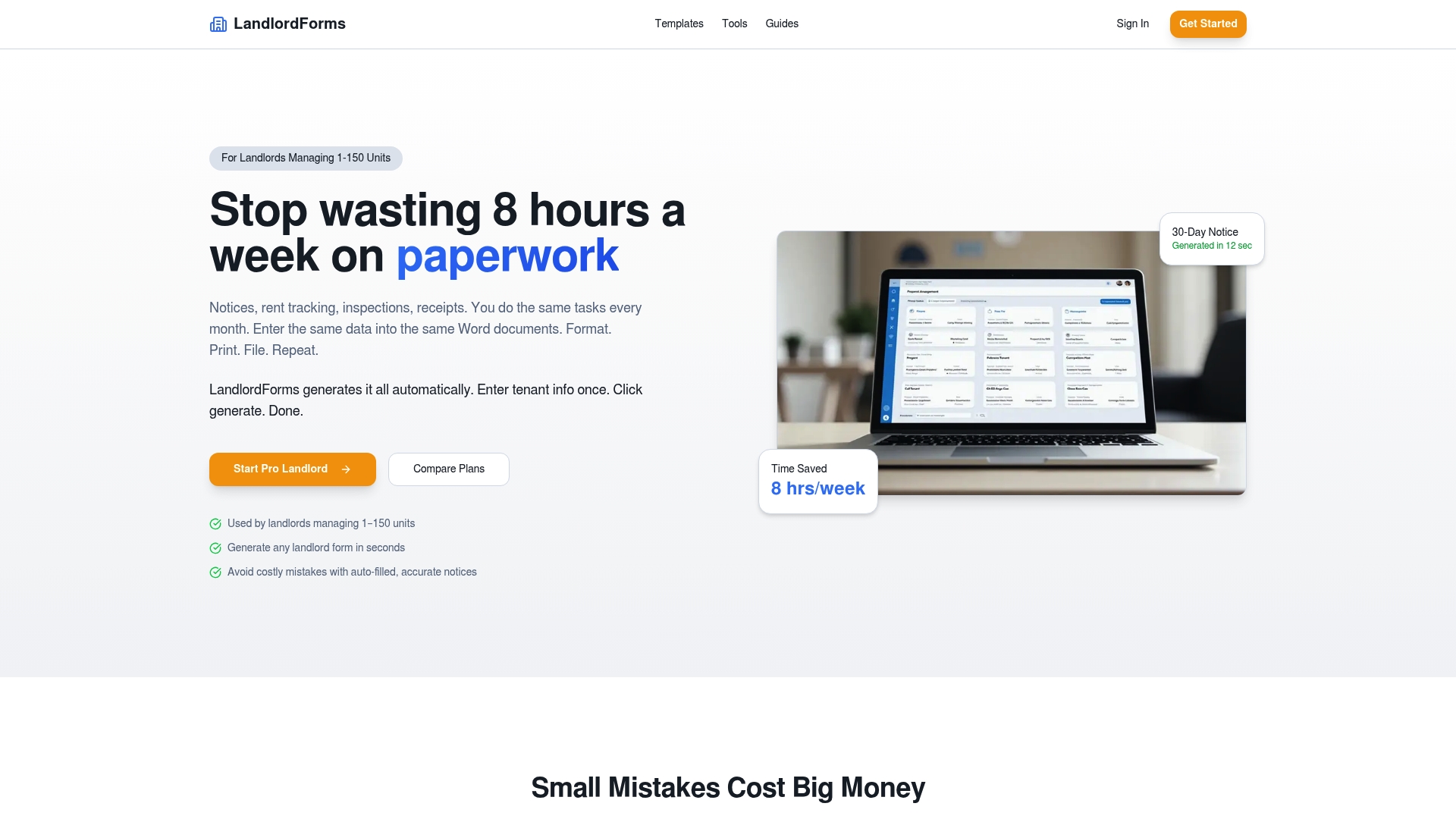
Landlordforms automates the creation of lease agreements, 30-day notices, rent receipts, and security deposit letters, reducing manual entry errors and saving up to eight hours a week. The platform supports real-time rent tracking and photo documentation for inspections, so your files are dispute-ready before a dispute ever starts. Free templates for move-in checklists and security deposit return letters give you a practical starting point for building a structured digital archive. Visit Landlordforms to access the full library of free landlord document templates and tools.
FAQ
What is tenant file management?
Tenant file management is the process of organizing, storing, and maintaining all documents related to a tenancy, including leases, inspection reports, payment records, and notices. Digital systems replace paper filing with searchable, access-controlled archives.
How does digital file management reduce landlord workload?
Tenant self-service portals reduce inbound administrative calls by 60%–80% by giving tenants direct access to their lease, payment history, and maintenance status without contacting the office.
What documents belong in a digital tenant file?
A complete digital tenant file includes the signed lease, all amendments, move-in and move-out checklists, inspection photos, rent payment history, notices served, and any correspondence related to the tenancy.
When should a landlord switch from basic cloud storage to a dedicated system?
Portfolios exceeding 20 units require granular permissions and audit logs that basic cloud storage does not provide. Without these controls, landlords face significant liability during deposit disputes or legal proceedings.
How do audit trails help during tenant disputes?
Audit trails create a timestamped log of every document view, edit, and download. This log serves as verifiable evidence that a notice was issued or a document was unaltered, strengthening a landlord’s legal position in any dispute.