30–90 Day Pilot: Lease Renewal Automation for Small Landlords

Lease renewal automation prevents missed deadlines, saves administrative hours, and supports tenant retention. Start with a T-120/T-90/T-60 workflow paired with e-sign templates, and you turn a scattered manual process into a repeatable one. The result is fewer missed windows, less time on paperwork, and a clearer paper trail if a renewal is ever disputed.
TL;DR:
- Automation should be limited to routine renewals with clear, on-policy rent increases and a clean payment history, routed directly for auto-s ending at T-90.
- Manual review remains essential for rent increases exceeding policy caps, units with unresolved issues, or tenants involved in disputes before sending renewal offers.
- Critical features like state-aware document templates, automated alerts tied to lease dates, and integrated rent/payment history improve reliability and efficiency.
- Phased implementation reduces rollout failure risk, starting with system inventory, then automating T-90 offers, followed by segmentation and system integration.
- Accurate lease data management and capturing tenant consent records are crucial to prevent legal vulnerabilities and process breakdowns.
Table of Contents
- Building a T-120/T-90/T-60 renewal campaign
- Which automation features actually move the needle
- Rolling out renewal automation in phases
- Staying compliant when renewals go digital
- Measuring whether automation is actually working
- Where renewal automation goes wrong
- How LandlordForms fits into a renewal workflow
- Where automation should stop and judgment should start
- Start automating your renewals today
- Sources
- FAQ
Building a T-120/T-90/T-60 renewal campaign
The most reliable way to run renewals at scale is to treat the lease expiration date as a trigger, not a deadline you remember on your own. Industry guidance on proactive retention strategies points to a three-touch cadence built around 120, 90, and 60 days before lease end, each with a distinct purpose.
- T-120 (120 days out): Pull payment history, open maintenance tickets, and any satisfaction signals from recent interactions. This is your internal review, not tenant-facing yet. Decide whether the unit is a renew, a rent-adjust, or a non-renew before any message goes out.
- T-90 (90 days out): Send the renewal offer itself, segmented by tenant type and unit history, with an e-sign link and a clear response deadline. Practical guides on lease renewal timing recommend sending offers 60 to 90 days before expiry, and 90 gives tenants enough runway to decide without leaving your pipeline open too long.
- T-60 (60 days out): For anyone who has not responded, escalate. A text, a phone call, or a small incentive can move a stalled decision. This is also when you start parallel vacancy planning for units that look unlikely to renew, so marketing and turnover prep are not rushed at T-30.
The workflow only works if you separate what can auto-send from what needs a human look first. A straightforward renewal at the same rent, for a tenant with clean payment history, can go out automatically at T-90 with no review needed. A renewal that involves a rent increase above your policy cap, a tenant with an active dispute, or a unit with unresolved maintenance issues should route to a property manager for manual sign-off before it ever reaches the tenant’s inbox.
That single rule, auto-send for the routine cases and human review for the exceptions, is what keeps automation from creating new problems while it solves old ones. Structured campaigns that start early and use segmentation and automation are associated with fewer missed renewals and better retention outcomes, according to the Re-Leased overview of renewal best practices. The mechanics matter less than the discipline: every lease gets a T-120 review, every eligible lease gets a T-90 offer, and every non-responder gets a T-60 escalation. Miss one of those three touches consistently and the whole system degrades back into spreadsheet chasing.

Which automation features actually move the needle
Not every feature marketed as “smart” or “AI-powered” changes your day-to-day. A handful of capabilities consistently remove bottlenecks, and the rest is often noise.
- State-aware document templating: Templates that auto-fill tenant, property, and date variables and include the correct renewal addendum language for your state, cut drafting time and reduce copy-paste errors.
- E-signature with a recorded consent trail: The signature itself matters less than the audit log behind it, timestamps, IP or device data, and proof the tenant affirmatively agreed to sign electronically.
- Critical-date alerts tied to the lease object: The lease, not a calendar entry you set manually, should be the source of truth that triggers your T-120/T-90/T-60 sequence.
- Two-way messaging with open and response tracking: Email and SMS logs that show whether a tenant opened the renewal offer let you know who to escalate at T-60 instead of guessing.
- Integration with accounting and maintenance systems: Payment history and open work orders inform the T-120 review, and pulling them automatically avoids a manual lookup across three different tools.
- AI-suggested pricing, used as a draft only: Some platforms aggregate market comps, payment history, and vacancy trends to propose a renewal rate. That is useful as a starting point, but a vendor overview of AI renewal features frames it correctly: a property manager reviews and approves the number, the software does not set it unsupervised.
Pro Tip: Set a policy cap on any AI-suggested rent increase (say, a maximum percentage over current rent) so a bad comp or thin data set never turns into an offer you have to walk back.
If you are choosing between tools, weigh the audit trail and the calendar triggers over cosmetic features. A polished template library does nothing if the system cannot tell you, without a manual check, which of your 40 leases expire in the next 120 days.
Rolling out renewal automation in phases
Trying to automate everything on day one is how most rollouts stall. A phased plan gets you a quick win in the first month and full integration by the end of the quarter.
- Phase 0, weeks 1 to 2: inventory and import. Pull every active lease into one system and confirm each one has a clean expiration date, unit ID, and tenant contact on file. This is tedious but it is the foundation: automation cannot trigger off a date that does not exist in the system.
- Phase 1, weeks 3 to 6: templated letters and T-90 automation. Turn on renewal letter templates and e-sign links first, since this delivers the fastest return. A lease renewal notice template that auto-populates tenant and unit details removes the single biggest source of manual drafting time.
- Phase 2, weeks 7 to 10: segmentation and exception rules. Add rules for who gets auto-sent versus manually reviewed, rent increase caps, tenants with open disputes, units flagged for non-renewal, and route those exceptions to a person instead of the auto-send queue.
- Phase 3, month 3 and beyond: integrate accounting and inspections. Connect rent payment records and maintenance history so the T-120 review pulls automatically instead of requiring a manual export. This is also when you formalize unit condition re-baselining, attaching fresh inspection photos to every renewal file, and start batch-processing renewals across multiple properties instead of one at a time.
Landlords with a handful of units can often compress Phases 0 through 2 into a single 30-day pilot on one property, then expand once the workflow proves out. The point of phasing is not sped for its own sake, it is confirming each layer works before you stack the next one on top.
Staying compliant when renewals go digital
Electronic signatures are legally valid for most lease renewals in the United States, but the rules have specific requirements landlords need to follow, not assumptions to skip past.
The federal E-SIGN Act confirms that electronic signatures carry the same legal weight as wet signatures in commercial and consumer transactions, provided the business obtains the tenant’s affirmative consent and delivers required disclosures. That consent step is not optional paperwork, it is the legal foundation the whole e-sign process rests on.
Some programs carve out exceptions. HUD guidance on electronic transmission and storage permits electronic handling of many owner and agent documents but warns that certain notices and program forms may still require wet signatures or specific delivery methods, so subsidized or program-linked units need a rules check before you assume e-sign applies.
A substantial share of electronic disclosure disputes trace back to unclear or missing consent records rather than the signature itself, based on the consumer-protection concerns the FTC’s staff guidance raises around electronic delivery. Clean consent records are the difference between a defensible process and a vulnerable one.
Practical steps to stay covered:
- Capture affirmative consent to receive documents electronically before sending any renewal offer.
- Offer a paper opt-out so tenants who prefer wet signatures are not forced into e-sign.
- Keep timestamped audit logs and store signed documents with the consent record attached, not separately.
- Check program-specific rules (HUD, state-subsidized housing) before defaulting to e-sign for those units.
When you are unsure whether a form or program requires special handling, give more notice than the legal minimum and check with a local attorney rather than guessing.
Measuring whether automation is actually working
Automation is only worth the switch if you can point to numbers that improved. Four metrics tell most of the story.
- Renewal rate: the share of eligible leases that renew instead of turning over.
- Missed-deadline events: how many renewal windows closed with no offer sent or no signed response logged.
- Administrative hours saved: time spent per renewal, drafting, chasing signatures, filing, compared to before automation.
- Vacancy days avoided: turnover time saved when a renewal is secured instead of the unit sitting empty during re-leasing.
A simple ROI comparison works well for a small portfolio. Say you manage 20 units and a subscription automation tool costs $19 a month on the Pro Landlord plan from LandlordForms, roughly $228 a year. If automation helps you avoid even one unnecessary vacancy period a year on a unit renting for $1,200 a month, and that vacancy would otherwise run 20 days instead of zero, the avoided cost alone (about $800 in lost rent) clears the subscription cost several times over, before counting any admin hours saved.
| Metric | What to track | Why it matters |
|---|---|---|
| Renewal rate | Percentage of eligible leases renewed | Direct measure of retention success |
| Missed-deadline events | Count of windows closed with no signed renewal | Flags process breakdowns early |
| Admin hours per renewal | Time logged from offer to signed document | Shows labor savings from templating and e-sign |
| Vacancy days avoided | Turnover days saved versus prior average | Converts retention into a dollar figure |
Instrument these inside your property management system by tagging each renewal event with a timestamp at T-120 review, T-90 send, and signed date, then pulling a monthly report. Once you have two or three months of data, the renewal rate and missed-deadline count become your baseline for judging whether the workflow is paying off.
Where renewal automation goes wrong
Most automation failures are not software problems, they are process gaps that automation exposes rather than causes.
- Skipping the consent step. A signed renewal without a recorded affirmative consent to e-sign is a weak document if a tenant later disputes it, so consent has to be captured and stored with the file, not assumed.
- Letting AI pricing run unsupervised. An automated rent suggestion without a policy cap or a human review step can generate an offer that is legally fine but operationally reckless, especially in a soft rental market.
- Fragmented lease data. If lease end dates live in three different spreadsheets or systems, your T-120 trigger will eventually miss a unit, and that is usually how a renewal window closes with no offer sent at all.
- Skipping condition re-baselining. Renewing a lease without fresh photos of unit condition leaves you without a clean comparison point if a move-out dispute happens later. A practical renewal guide recommends re-documenting condition at every renewal for exactly this reason.
Pro Tip: Attach a short photo checklist to every renewal task so re-baselining happens automatically instead of depending on someone remembering to do it.
Centralizing lease data before you automate anything is the single highest-leverage fix. Every other pitfall on this list gets easier to avoid once every lease lives in one system with one source of truth for its dates.
How LandlordForms fits into a renewal workflow
LandlordForms is built for landlords managing 1 to 150 rental units who need renewal paperwork handled without hiring an assistant to chase it. The product automates document creation, tracks rent payments, and stores tenant and property information in one place, which covers most of what a T-120/T-90/T-60 workflow needs without switching between five tools.
- State-aware renewal templates generate lease renewal notices and addenda with the correct variables filled in automatically.
- Document storage keeps signed renewals, consent records, and prior lease versions attached to the same tenant file.
- Rent tracking gives you the payment history you need for a T-120 review without a manual export from a separate accounting tool.
- Photo inspection logging supports condition re-baselining at renewal, tying fresh photos to the same file as the signed offer.
A landlord running the T-90 step can pull a lease renewal notice template directly, or start from one of three ready renewal letter templates built for different tenant scenarios. For readers building out contract automation beyond leases, a partner resource on automated proposal and contract workflows covers adjacent document automation that pairs well with a renewal pipeline. LandlordForms’ own positioning is that it removes manual paperwork errors and automates date calculations so a small portfolio runs the way a much larger one does, without the overhead.
Where automation should stop and judgment should start
Automation is good at the parts of renewal management that are repetitive and calendar-driven: pulling the T-120 data, sending the T-90 offer, flagging the T-60 non-responder. It is not good at the parts that require reading a person, a tenant negotiating a rent increase because of a job loss, or a long-term renter with a legitimate complaint about maintenance that a template cannot address.

The mistake I see most often is landlords either automating nothing, so every renewal eats an hour of manual work, or automating everything, so an edge case gets an autogenerated letter that ignores context a person would have caught in five seconds. Neither extreme works.
If you are starting from scratch, run the full workflow on one property for 90 days. Track renewal rate and admin hours saved before expanding, and keep any AI-suggested pricing capped and reviewed by a person until you trust the pattern it is following.
— Igor
Start automating your renewals today
Most landlords lose hours every month to renewal paperwork that a template and an e-sign link could handle in minutes. LandlordForms turns that manual cycle into a repeatable one: state-aware renewal templates, document storage, rent tracking, and photo-based inspection records all live in the same place, so a T-120 review does not mean digging through three separate tools.
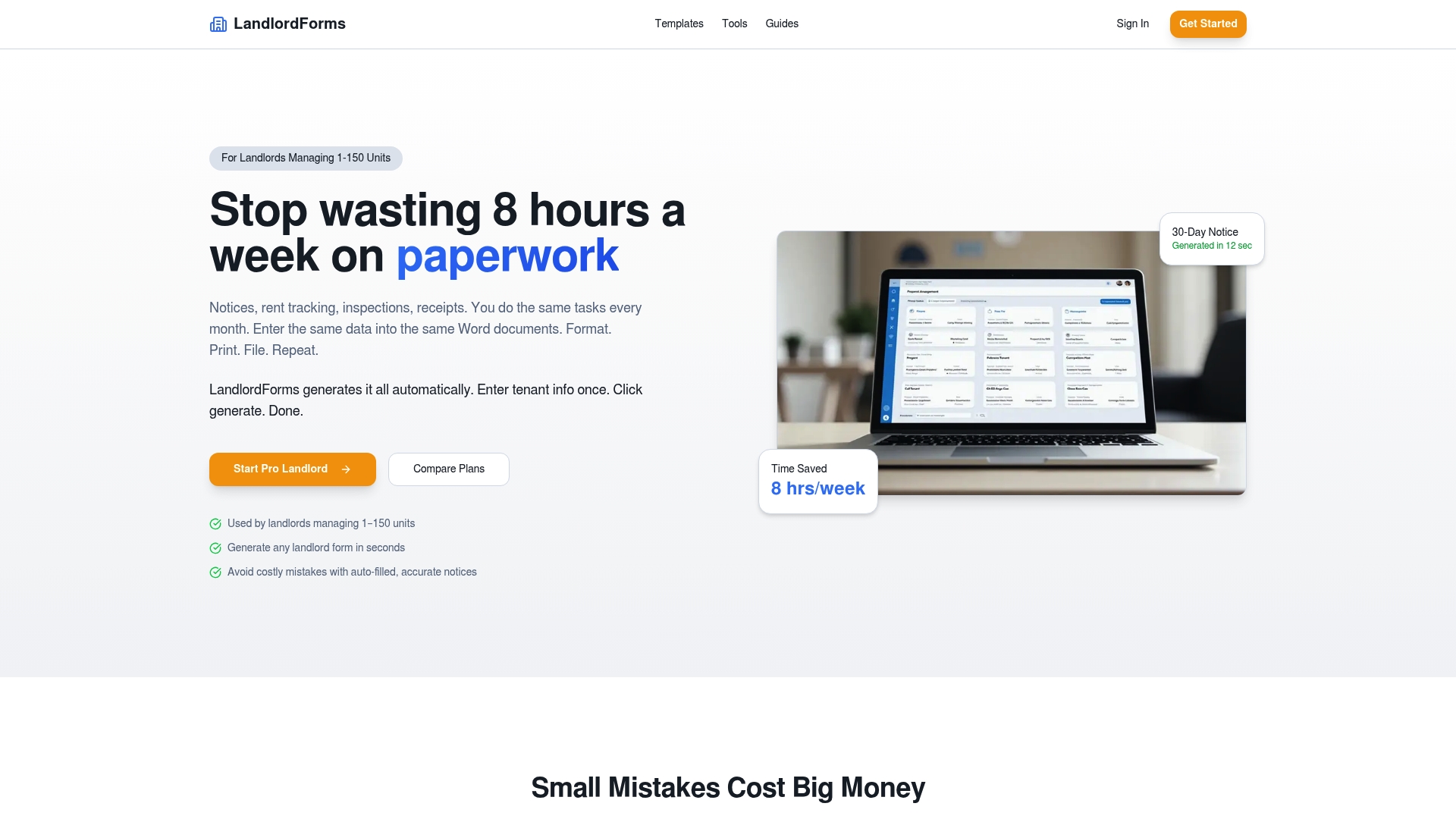
- Adapt one of the ready renewal letter templates for your next tenant segment.
Sources
- HUD notice on electronic transmission and storage of documents (2020)
- Lease renewal and extension: proactive strategies for tenant retention | Re-Leased
- Lease renewal guide | DiscoveryMark
FAQ
Which lease automatically renews?
A lease automatically renews when its contract includes an automatic renewal (or “evergreen”) clause stating the term extends unless either party gives notice by a set deadline. Without such a clause, most leases simply expire and become month-to-month or require a new signed agreement.
Can a lease automatically renew in PA?
Automatic renewal clauses are generally enforceable in lease agreements as long as the clause is clearly written and any required notice period is honored. Specific notice requirements can vary by locality and lease type, so landlords should confirm the clause language matches applicable local rules before relying on it.
How do I get out of an automatic lease renewal?
Review the lease for the exact notice period required to opt out, often 30 to 60 days before the renewal date, and submit that notice in writing before the deadline. Sending notice through a documented channel, such as an e-sign platform with a recorded delivery timestamp, gives you proof the notice was sent on time.
What is an automatic renewal clause in a lease?
An automatic renewal clause states that a lease extends for another term, often the same length as the original, unless the tenant or landlord provides written notice by a specified deadline. These clauses are common in residential and commercial leases and are meant to avoid a lapse into unstructured month-to-month tenancy.
How do I automate lease renewals as a landlord?
Start with a T-120/T-90/T-60 campaign: review lease and payment data at 120 days out, send a segmented renewal offer with an e-sign link at 90 days, and escalate non-responders at 60 days. Tools like LandlordForms support this with state-aware templates, document storage, and rent tracking, starting at $9 a month on the Starter Landlord plan.