Why Digital Records Beat Paper Filing for Professionals

Digital records beat paper filing for most professionals because they make information secure, searchable, and recoverable in ways paper simply cannot match. The advantages of electronic documents compound over time: every day you rely on paper filing, you’re paying retrieval costs, accepting security gaps, and creating compliance risk that a well-configured digital system eliminates.
The three core advantages, briefly:
- Security: Encryption, role-based access controls, and immutable audit logs protect digital records against theft, unauthorized edits, and single-point disasters in ways a locked filing cabinet never can.
- Efficiency: OCR-indexed files and automated workflows cut lookup time from hours to seconds and reduce manual data-entry errors.
- Compliance and traceability: Retention schedules, metadata, and access logs create a defensible chain of custody that paper records rarely achieve.
Paper still has a role in narrow circumstances: certain legal originals, notarized instruments, and jurisdictions that require wet signatures. For everything else, digital is the stronger choice.
Key Takeaways
Digital records beat paper filing for most professional uses because they combine security controls, searchability, and reliable backup in ways paper structurally cannot.
| Point | Details |
|---|---|
| Security advantage | Encryption, RBAC, and audit logs protect records in ways a filing cabinet cannot match. |
| Cost of paper | Filing costs roughly $20 per document in labor; misfiled documents cost ~$120 to retrieve. |
| Start with active files | Digitize frequently accessed records first; scan archives only on retrieval for faster ROI. |
| Compliance requires controls | Retention schedules, metadata, and access logs are what make digital records auditable. |
| Landlordforms for landlords | Automates notice generation, rent ledgers, and inspection photo storage for 1–150 unit portfolios. |
Table of Contents
- 1. Why digital records improve security over paper
- 2. Searchability and automation cut hours from your workflow
- 3. The real cost savings — and where the ROI is slower
- 4. How digital records support compliance and audits
- 5. Real risks of digital records and how to manage them
- 6. Which records should you digitize first?
- 7. A landlord use case: faster lookups, better dispute outcomes
- 8. How to get started with digital records the right way
- 9. Why I recommend going digital-first for active records
- Landlordforms helps landlords go paperless without the setup headache
- Sources
- FAQ
1. Why digital records improve security over paper
Digital systems can be more secure than paper when configured correctly. That qualifier matters, because a poorly managed cloud folder with no access controls is worse than a locked cabinet. The difference is that digital tools give you controls paper never could.
Encryption in transit and at rest means that even if a file is intercepted or a server is breached, the data is unreadable without the decryption key. Role-based access controls (RBAC) let you grant a bookkeeper read-only access to payment records while keeping lease agreements restricted to property managers. Multi-factor authentication adds a second barrier against credential theft. Immutable audit logs record every view, edit, and export with a timestamp and user ID, creating a chain of custody that a paper file simply cannot replicate.
Paper’s vulnerabilities are structural. A physical file can be removed, photocopied, or altered without leaving a trace. A flood, fire, or break-in destroys originals permanently. The IRS confirms that electronic filing is faster and typically more accurate than paper, with built-in error detection and acceptance confirmations that paper submissions lack entirely.
Pro Tip: When evaluating a digital records vendor, request their SOC 2 Type II or ISO 27001 audit reports, ask specifically about encryption standards (AES-256 is the current baseline), and confirm backup frequency and geographic redundancy. HIPAA compliance matters for any records touching health information.
2. Searchability and automation cut hours from your workflow
The single biggest day-to-day advantage of digital records is that you can find anything in seconds. A paper filing system requires you to remember exactly where something was filed, hope it was refiled correctly, and physically retrieve it. A digital system with proper OCR and metadata lets you search by tenant name, date, document type, or any keyword in the document body.
OCR (optical character recognition) converts scanned images into machine-readable text. Combine that with consistent metadata tagging — document type, date, associated party, property address — and you have a system where an audit request that once took a full day to respond to takes under ten minutes. PowerDMS notes that electronic records improve accuracy, speed, and accessibility, and that modern document-management systems make digitization more scalable and cost-effective than in the past.
Version history is another feature paper cannot offer. When a lease is amended, the digital system preserves every prior version with timestamps, so you always know what the agreement said on any given date. Automated workflows go further: routing a document for signature, sending a rent-due reminder, or generating a notice on a schedule requires no manual intervention once configured.
Common time-saving examples for professionals:
- Retrieving a specific invoice or payment record: seconds vs. 10–20 minutes of manual searching
- Responding to an audit request: minutes vs. hours or days
- Generating a recurring notice or receipt: automated vs. manual drafting each time
- Tracking document versions after amendments: automatic vs. maintaining paper copies of each revision
Adobe’s analysis lists faster retrieval, improved collaboration, and better backup and recovery among the top benefits of digitizing documents, and notes that digitization enables the process automation that paper-based workflows structurally prevent.
3. The real cost savings — and where the ROI is slower
Digital records reduce recurring labor, storage, and distribution costs, but they require upfront investment in software, scanning, and training. The ROI is real; it just isn’t always immediate.
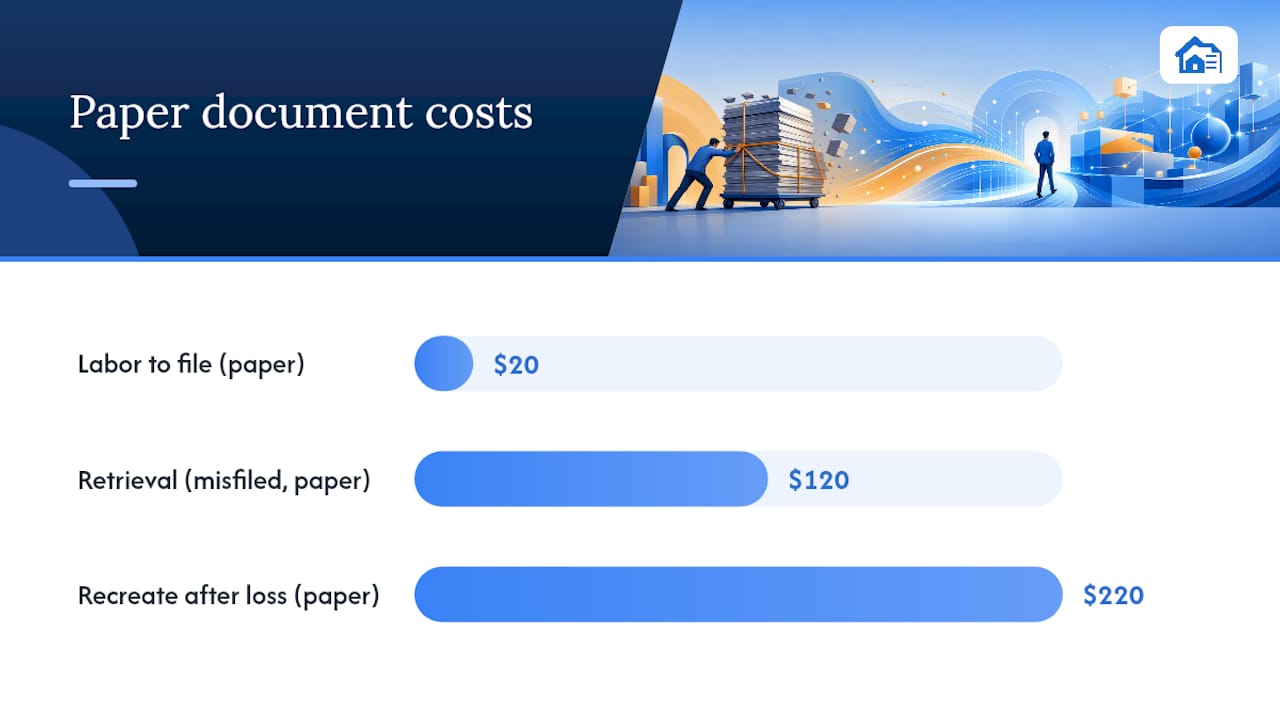
The cost math on paper is worse than most people realize. Industry analysis from BlueNotary puts the cost of filing a paper document at roughly $20 in labor, retrieving a misfiled document at around $120, and recreating a lost document at approximately $220. Off-site storage adds per-document and per-retrieval fees that accumulate quickly at any meaningful volume.
| Cost Category | Paper (Estimated) | Digital |
|---|---|---|
| Labor to file one document | ~$20 | Near zero (automated) |
| Retrieval of misfiled document | ~$120 | Near zero (search) |
| Document recreation after loss | ~$220 | Near zero (backup restore) |
| Off-site physical storage | Per-box monthly fee + retrieval | Cloud storage (flat subscription) |
A 2025 F1000Research study on municipal document digitization found that the transition reduced operational costs and improved access to records, while also noting that technical investment and integration barriers are real obstacles that must be planned for.
Where ROI is slower: bulk-archival scanning of records you rarely access. The scanning cost, labor, and indexing time rarely pay off for documents retrieved once a year. The NARA digitization whitepaper specifically warns that proper indexing, OCR selection, and retention planning are necessary to realize the benefits of digitization.
Pro Tip: Start with active documents — leases, payment records, open invoices, current-year notices. Scan archives only when you retrieve them (“scan on retrieval”), not in bulk upfront. That single decision dramatically improves your first-year ROI.
4. How digital records support compliance and audits
Digital records improve auditability when metadata, retention rules, and access logs are implemented from the start. Without those controls, a folder full of scanned PDFs is not meaningfully more auditable than a filing cabinet.
Retention schedules tell the system how long each document type must be kept and when it can be destroyed. Metadata and indexing make records findable by auditors without requiring you to manually pull files. Access logs show exactly who viewed or modified a record and when, which satisfies chain-of-custody requirements in most U.S. legal and regulatory contexts. The Smithsonian Archives blog notes that digitization enables better chain-of-custody controls because records do not physically leave a secured repository and every access event is logged.
For health records, HIPAA requires specific technical safeguards that well-configured digital systems satisfy. For financial records, IRS guidance supports electronic recordkeeping when records are accurate, accessible, and reproducible. SOC 2 and ISO 27001 certifications signal that a vendor’s controls have been independently audited.
When paper is still required: certain jurisdictions require original wet-ink signatures for deeds, wills, and specific court filings. A hybrid approach keeps those originals in a secure physical location while maintaining digital copies for day-to-day reference.
Vendor trust-signal checklist:
- SOC 2 Type II or ISO 27001 certification (independently audited)
- Encryption at rest and in transit (AES-256 minimum)
- Configurable retention rules per document type
- Exportable records in open formats (PDF/A, CSV)
- Immutable access and modification logs
- Documented backup frequency and recovery time objectives
For landlords, audit-proof rental records require the same discipline: consistent naming, timestamped photos, and logged payment history.
5. Real risks of digital records and how to manage them
Digital records require ongoing management. Poor implementations cause serious problems, and the risks are specific enough to plan around.
Format obsolescence is the most underappreciated risk. A file saved in a proprietary format from 2005 may be unreadable today. The mitigation is straightforward: use open, archival formats (PDF/A for documents, CSV for data, TIFF for images) and convert proprietary files on a schedule.
Metadata gaps undermine searchability and compliance. If files are named inconsistently or lack required fields, the system is no more useful than a pile of unlabeled folders. Vendor lock-in is a related risk: if your records are stored in a format or structure that only one platform can read, switching vendors becomes expensive and potentially data-threatening.
Weak backups are the digital equivalent of keeping one paper copy. The 3-2-1 rule (three copies, two different media types, one offsite) is the standard. Inadequate access controls create a different problem: too-broad permissions mean a single compromised account can expose everything.
Risk-mitigation steps, in order of priority:
- Adopt open, archival file formats from day one (PDF/A, CSV, TIFF).
- Define and enforce a metadata schema before scanning begins.
- Negotiate a data-export clause into every vendor contract.
- Implement the 3-2-1 backup rule with automated, tested restores.
- Apply role-based access controls and review permissions quarterly.
- Run periodic integrity checks (checksums) on stored files.
- Document a vendor exit plan before you need it.
The ICA’s PARBICA guideline on digital records reinforces that digitization is not automatically efficient: indexing quality, metadata consistency, and selection strategy determine whether a digitization project delivers value or creates a new kind of disorder.
6. Which records should you digitize first?
Prioritize active, multi-user, frequently accessed records first. That single rule prevents the most common digitization mistake: spending weeks scanning archives that nobody looks at while the documents you use every day stay on paper.
Run each folder through this checklist before committing scanning resources:
- Access frequency: Is this document retrieved more than once a month? If yes, digitize now.
- Multi-party access: Do two or more people need this record? Digital access eliminates the “who has the file” problem.
- Legal or regulatory constraints: Does this document type require a physical original? If yes, keep the original and scan a reference copy.
- Retention horizon: Records kept for seven or more years benefit most from digital preservation and searchability.
- Current retrieval cost: If retrieving this record takes more than 15 minutes, digitization pays for itself quickly.
Quick-win examples:
- Active leases and addenda (high access, multi-party, long retention)
- Rent payment records and ledgers (frequent retrieval, audit risk)
- Inspection reports and photos (legal defensibility, timestamping matters)
- Current-year notices and correspondence (automation potential is high)
For archives, use a scan-on-retrieval approach: digitize a record the first time you need it after the transition. A small active-document project typically takes one to three days to scan, index, and configure. Bulk archival scanning of inactive records rarely pays back within the first year.
Property management workflow guides consistently point to payment records and inspection logs as the highest-ROI digitization targets for small landlords.
7. A landlord use case: faster lookups, better dispute outcomes
A landlord managing a small portfolio of rental units demonstrates how the benefits of digital records translate into practice. The scenario is common: a tenant disputes a charge, and the landlord needs to produce payment history, a move-in inspection report, and a copy of the relevant notice, all within 24 hours.
With paper records, that response requires physically locating three separate files, verifying they are complete, and either mailing or scanning them on the spot. With a digital tenant file, the same response takes minutes: search by tenant name, pull the rent ledger, the timestamped inspection photos, and the generated notice, and send them as a PDF package.
The measurable gains in this scenario:
- Administrative lookup time: reduced from roughly 45 minutes to under 5 minutes per dispute
- Document completeness: automated generation means no missing fields or unsigned copies
- Audit readiness: access logs show when each document was created and last viewed
Inspection records carry specific legal weight in security deposit disputes, and payment records are the first thing a court or mediator requests. Keeping both in a searchable digital system, with consistent metadata and photo documentation, is the practical difference between a defensible record and an incomplete one.
Digital tenant file management covers the full workflow in detail for landlords who want a step-by-step setup guide.
8. How to get started with digital records the right way
Set up a searchable repository, enforce metadata from the first file, and enable automated backups before you scan a single document. Sequence matters here: configuring the system correctly upfront costs far less than retrofitting metadata onto thousands of already-scanned files.
Step-by-step quick wins:
- Pick one active folder — start with current leases or open invoices, not the archive room.
- Scan with OCR enabled — use a scanner or app that produces text-searchable PDFs, not image-only files. Zonal OCR (which reads specific fields like dates and names from structured forms) is worth the extra configuration for high-volume document types.
- Name files consistently — adopt a naming convention before you start:
[DocumentType]_[Party]_[Date]_[Property]. Inconsistent naming is the most common reason digital systems fail to deliver on their searchability promise. - Add three metadata fields minimum — document type, date, and associated party. Add property address for multi-unit operations.
- Set retention rules — define how long each document type is kept and configure automatic deletion or archival prompts.
- Configure access controls — assign permissions by role, not by individual, so that staff changes don’t require manual permission audits.
- Schedule automated backups — daily incremental, weekly full, stored in at least two locations. Test a restore at least once per quarter.
Vendor checks before you commit:
- AES-256 encryption at rest and in transit
- SOC 2 Type II or ISO 27001 certification
- Data export in open formats (PDF/A, CSV)
- Configurable retention automation
- Transparent pricing with no per-export fees
Pro Tip: For structured forms (leases, notices, inspection checklists), zonal OCR extracts specific fields automatically and populates metadata without manual entry. It’s worth the setup time for any document type you process more than 50 times a year. Also confirm your chosen platform meets Section 508 accessibility standards if any users rely on assistive technology.
9. Why I recommend going digital-first for active records
The evidence for digital-first recordkeeping in active workflows is strong enough that the question isn’t really whether to switch. It’s whether you do the planning work before you start scanning.
The professionals who get the least value from digitization are the ones who scan first and organize later. They end up with thousands of unsearchable image files and no metadata schema, which is a different kind of disorder from paper but not a better one. The ones who benefit most spend a day defining their naming conventions, retention rules, and access controls, then start with a single active folder. Within a week, they’re retrieving documents in seconds instead of minutes, and their audit trail is building automatically.
For landlords specifically, the combination of automated notice generation, timestamped inspection photos, and a searchable rent ledger covers the three most common sources of tenant disputes. That’s not a theoretical benefit. It’s the practical difference between a 5-minute response and a 45-minute scramble.
Landlordforms helps landlords go paperless without the setup headache
Eight hours a week is what landlords managing paper-based systems typically spend on forms, filing, and chasing records. Landlordforms cuts that directly: it automates the generation of 30-day notices, rent receipts, lease agreements, move-in/move-out checklists, and violation notices, all with state-specific compliance built in.
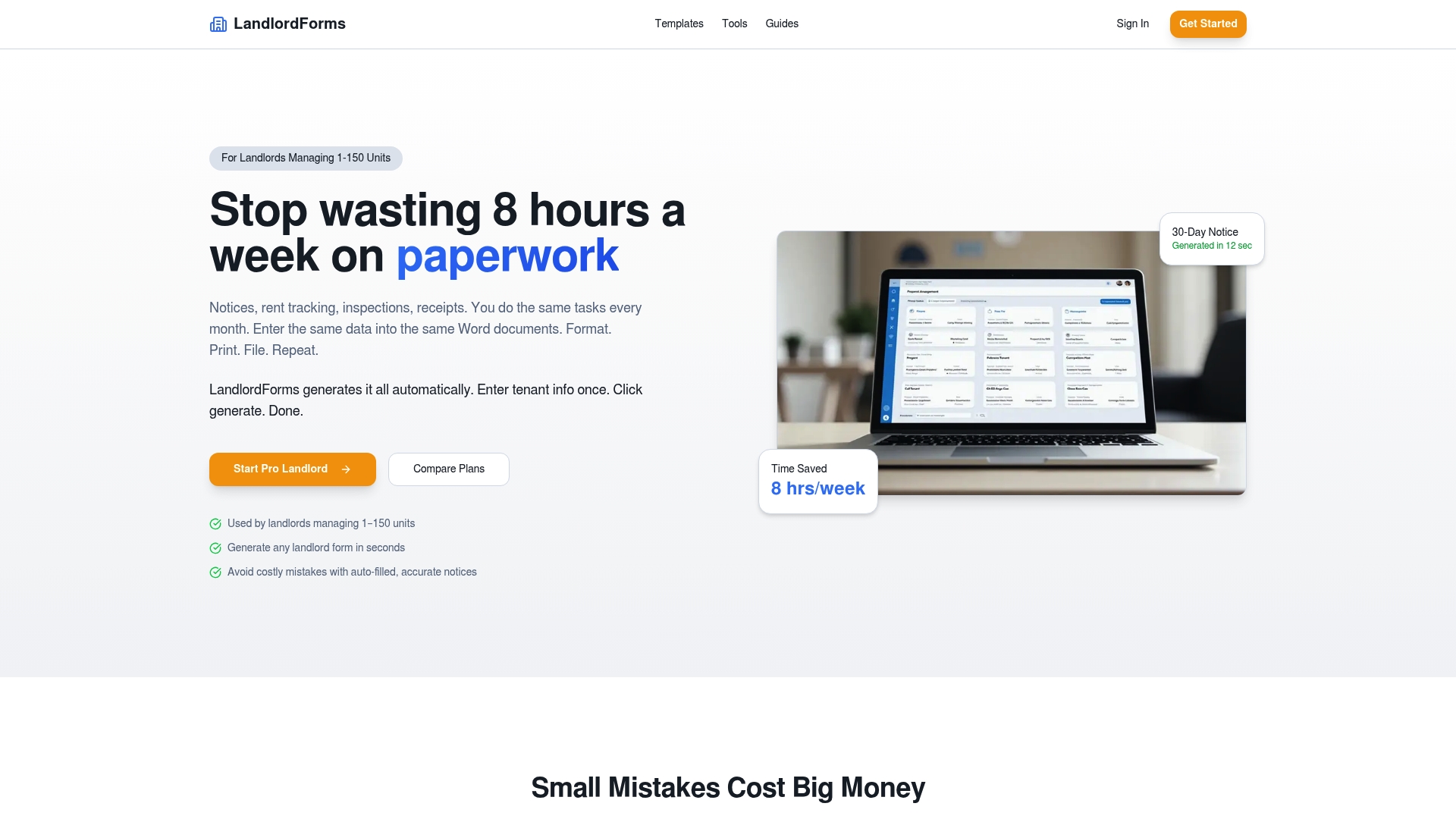
Every tenant file stays in one place: payment history, inspection photos, generated notices, and communication records. The rent ledger updates in real time, and inspection documentation includes photo storage with timestamps — exactly the kind of record that holds up in a dispute. For landlords who want to see what organized digital records actually look like in practice, the free rent ledger template is a practical starting point. When you’re ready to automate the full workflow, Landlordforms’s subscription handles the rest — from notice generation to audit-ready document storage for portfolios of 1 to 150 units.
Sources
- Digitization cost-benefit whitepaper (NARA)
- Paper vs. Digital Document Workflows: Transition Guide (BlueNotaryOnline)
- Five reasons to use electronic records vs. paper records (PowerDMS)
- 10 benefits of digitizing documents (Adobe)
- Electronic filing (e-file) FAQs (IRS)
FAQ
Why do digital records beat paper filing for most professionals?
Digital records offer encryption, searchable metadata, automated backups, and immutable audit logs that paper filing cannot replicate. For active documents retrieved frequently, the time and cost savings alone justify the switch.
Can you keep electronic records instead of paper originals?
In most U.S. contexts, yes. The IRS accepts electronic records when they are accurate, accessible, and reproducible. Exceptions exist for specific legal originals such as notarized deeds or court-filed instruments that require wet-ink signatures under state law.
What are the biggest risks of going fully digital?
Format obsolescence, metadata gaps, and vendor lock-in are the three most common failure points. Mitigate them by using open archival formats (PDF/A, CSV), enforcing a metadata schema from the start, and negotiating a data-export clause into every vendor contract.
How do electronic records improve accuracy over paper?
Digital systems catch errors at entry through validation rules, eliminate illegible handwriting, and prevent misfiling through automated naming and indexing. The IRS specifically notes that electronic submission includes built-in error detection that paper filing lacks.
What should landlords digitize first?
Start with active leases, rent payment records, and inspection reports — the three document types most likely to be needed quickly in a dispute. These deliver the fastest ROI and the clearest compliance benefit before moving on to older archival records.